The calculator that runs the day-count backwards
Our days-between-dates calculator answers "how long is it from A to B?" This page answers the question people just as often bring to a calendar: "I know the start and the length — what date do I land on?" Ninety days from today for a probation review. Six weeks from a contract signing. A deadline 45 days before an event. Enter the start date, choose add or subtract, give the amount and the unit — days, weeks, months or years — and the calculator returns the exact resulting date, the weekday it falls on, and how many of the days in between are business days. Tick the business-days box and the counting itself changes: Saturdays and Sundays are stepped over, so "10 business days from Thursday" lands where a working-week promise actually lands.
The rules, stated as formulas
Result date = start date ± amount × unitDays and weeks are exact calendar steps: 1 week = 7 days, alwaysMonths and years are calendar jumps to the same day-of-month — clamped to the month's last day when that day does not exist (31 January + 1 month = 28 February)Business-day mode: step one day at a time and count only Monday to Friday, so 1 business week = 5 counted days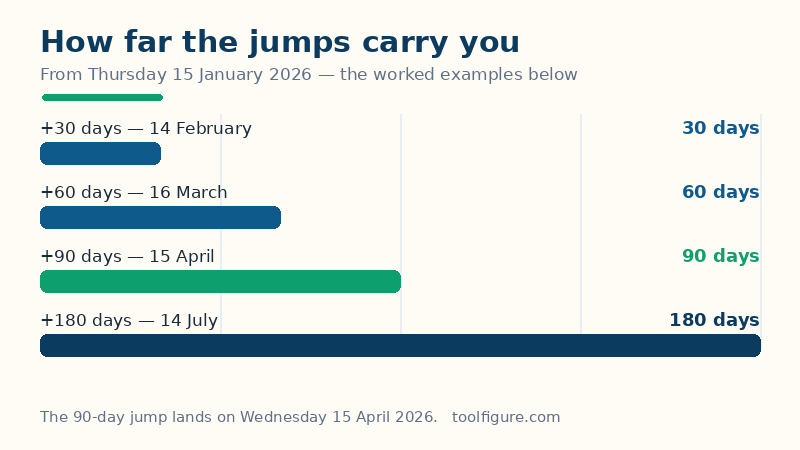
Every term matters. A calendar step moves through real dates, so a 90-day jump crosses February at its true length — 28 days in 2026, 29 in 2028 — rather than pretending every month has 30 days. A calendar jump for months and years keeps the day-of-month where it can: the 15th stays the 15th. The exception is the clamp: months do not all contain a 31st (or a 30th, or a 29th), so a jump from 31 January by one month lands on 28 February, the last day that exists. That is the convention every major calendar system uses, and it is stated here rather than hidden, because it is the one place this arithmetic can surprise you. Business days are Monday to Friday only — public holidays are not skipped, for reasons the limitations section explains.
Worked example: 90 days from Thursday 15 January 2026
The defaults above start on Thursday 15 January 2026 and add 90 days, landing on Wednesday 15 April 2026. Here is the count, month by month, so you can check it against any calendar. From 15 January there are 16 days left in January (the 16th through the 31st), taking the running total to 16 on 31 January. February 2026 has 28 days — total 44 on 28 February. March has 31 — total 75 on 31 March. Fifteen more days reaches 90 on 15 April, and 15 April 2026 is a Wednesday. The span contains 64 business days and 26 weekend days, which is what the bar above draws. Notice the shortcut hiding in this example: 90 days forward happened to land on the same day-of-month, the 15th — that is a coincidence of these particular month lengths (16 + 28 + 31 + 15 = 90), not a rule. The next section's table shows jumps where it does not happen.
More verified jumps from the same start date
| Jump from Thu 15 Jan 2026 | Result | Weekday |
|---|---|---|
| + 30 days | 14 February 2026 | Saturday |
| + 60 days | 16 March 2026 | Monday |
| + 90 days | 15 April 2026 | Wednesday |
| + 180 days | 14 July 2026 | Tuesday |
| − 45 days | 1 December 2025 | Monday |
| + 6 weeks | 26 February 2026 | Thursday |
| + 1 month | 15 February 2026 | Sunday |
| + 3 months | 15 April 2026 | Wednesday |
| + 1 year | 15 January 2027 | Friday |
Three rows teach the whole tool. +6 weeks lands on a Thursday, the same weekday as the start — weeks are exact multiples of seven days, so weekday never changes on a week jump, in either direction. +3 months and +90 days agree here (both reach 15 April) only because January-to-April month lengths happen to add up that way from the 15th; from most start dates the two jumps differ by a day or two, which is exactly why "three months" and "90 days" must never be treated as interchangeable in a contract. And +1 year lands on 15 January 2027, a Friday — 365 days later, one weekday forward, because 2026 is not a leap year; the same jump across a 29 February would move two weekdays.
Business days: what "10 business days" really does to a date
Tick the box, keep the start on Thursday 15 January 2026 and enter 10 with the Days unit: the result is Thursday 29 January 2026 — 14 calendar days later, not 10. The count steps over two full weekends (17–18 and 24–25 January) on the way. This is the arithmetic behind delivery promises, bank processing times and "respond within 10 business days" clauses, and it is why a two-business-week promise made on a Thursday is not kept until the Thursday after next. One honest warning: business-day counting here skips weekends only. A public holiday inside the span — a UK bank holiday, a US federal holiday — is counted as a business day by this calculator, because holiday calendars differ by country and region; if your deadline is holiday-sensitive, count the holidays in the span yourself and add that many business days to the amount.
The month-end clamp, and how it drifts
Start on Saturday 31 January 2026 and add 1 month: February has no 31st, so the result clamps to Saturday 28 February 2026, its last day. Add another month from there and you land on 28 March — not back on the 31st. Clamping does not remember the original day-of-month; each jump starts from the date the previous jump produced. For recurring dates that must stay month-end true (rent, payroll, billing), the safe pattern is to jump from the original start date with a growing amount — +1 month, +2 months, +3 months from 31 January gives 28 February, 31 March, 30 April — rather than chaining results. The same clamp governs leap-day birthdays and anniversaries: 29 February 2028 plus 1 year gives 28 February 2029. How a contract or a family treats that is a human decision; the calendar arithmetic is the clamp.
How to read your result, and the limits
The big date is the answer under the rules you selected; below it, the table restates the jump in calendar days (signed, so a subtraction shows a negative move) and splits the span into business and weekend days — the split the bar draws. If you used business-day mode, the detail line says how many business days were counted to get there. Limits, plainly: this calculator works in whole days at date level — it knows nothing about times of day or time zones, because a date is a date everywhere on the day itself; it does not skip public holidays, as explained above; and very large jumps are capped, because a result thousands of years out answers no real question. For the reverse problem — two dates known, the gap unknown — use the days-between calculator; for a person's exact age in years, months and days, the age calculator specialises in it; and for the hours inside a working day, the hours calculator takes over.
Frequently asked questions
What is the difference between this and the days-between-dates calculator?
They run the same arithmetic in opposite directions. Days-between starts with two dates and returns the gap; this date calculator starts with one date and a gap — 90 days, 6 weeks, 3 months — and returns the second date. Deadlines, notice periods and countdown planning usually need this direction.
How are months and years added when the day does not exist?
By clamping to the last day of the target month. 31 January plus 1 month is 28 February (29 February in a leap year), and 29 February 2028 plus 1 year is 28 February 2029. Each further jump starts from the clamped date, so chain jumps from the original start date if you need to stay month-end true.
Does the business-days option skip public holidays?
No — it skips Saturdays and Sundays only. Holiday calendars differ between countries and often within them, so no single list could be right for every reader. If a holiday falls inside your span, add one extra business day to the amount for each holiday.
Why do 90 days and 3 months sometimes give different dates?
Because months have real, uneven lengths. From 15 January 2026 the two jumps agree on 15 April, but from 31 January, 90 days reaches 1 May while 3 months reaches 30 April. Contracts that say 'three months' mean calendar months; contracts that say '90 days' mean days — this calculator keeps them distinct so you can honour whichever wording you were given.
Can I count backwards, for example 45 days before an event?
Yes — choose Subtract. From a start of Thursday 15 January 2026, subtracting 45 days lands on Monday 1 December 2025. Backwards business-day counting works the same way, stepping over weekends in reverse.